CPanel Explained How to Manage Your Website Like a Pro
Managing a website may seem complex especially for beginners
From handling files to managing domains and emails there are many tasks involved in running a website smoothly
This is where cPanel becomes extremely useful
cPanel is one of the most widely used control panels in web hosting It provides a simple interface that allows users to manage their websites without needing advanced technical knowledge
Understanding how cPanel works can help you take full control of your website and manage it more efficiently
What Is cPanel
cPanel is a web based control panel that helps users manage their hosting account
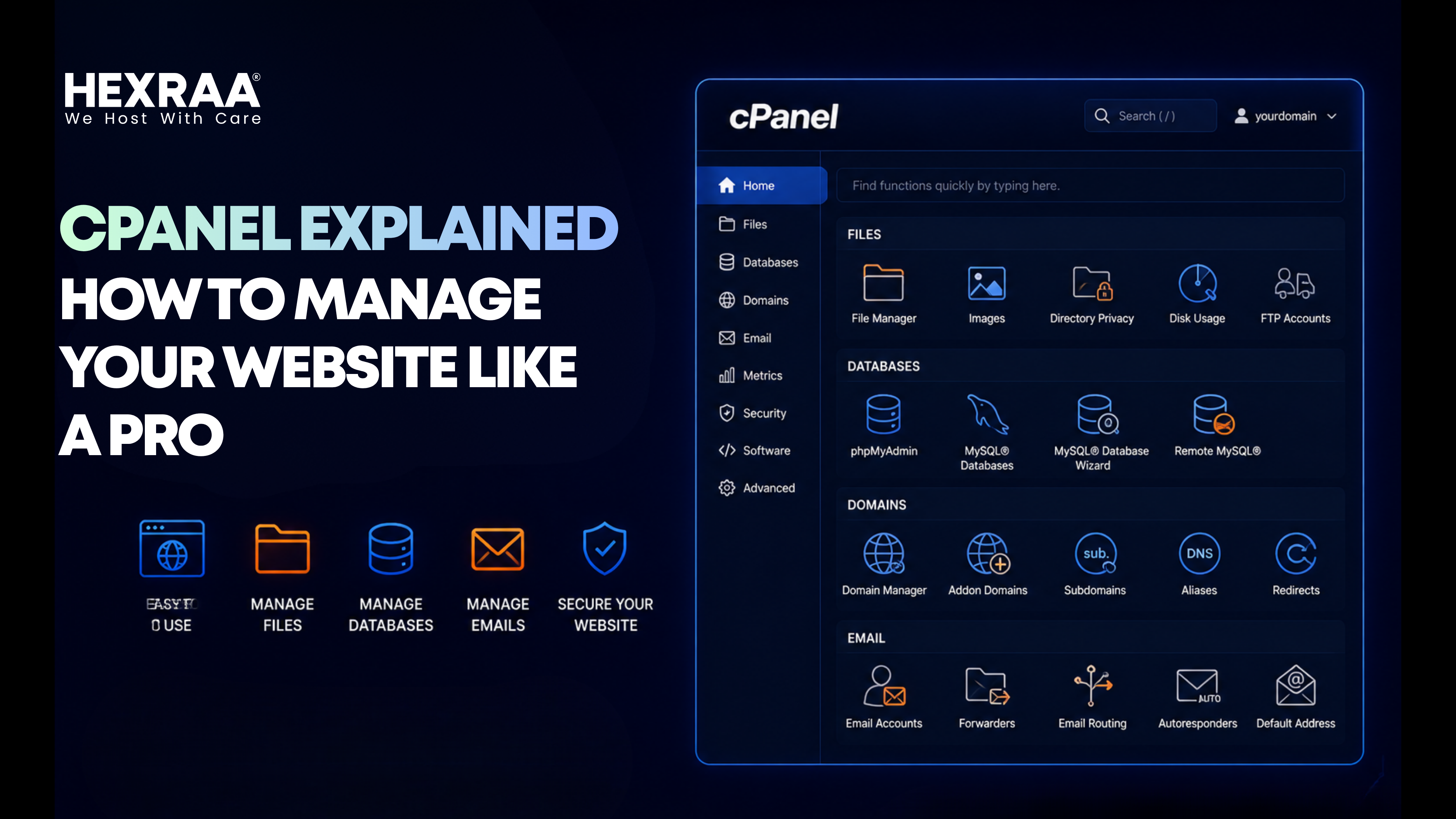
It provides a graphical interface where you can perform various tasks such as
Managing website files Creating email accounts Handling domains and subdomains Accessing databases Installing applications
Instead of using complex commands cPanel allows you to manage everything through an easy dashboard
Why cPanel Is Important
cPanel simplifies website management for beginners and professionals alike
It allows you to
Control all website functions from one place Save time on technical tasks Reduce dependency on developers Manage multiple features easily
For anyone running a website cPanel acts as the central control system
Key Features of cPanel
1 File Management
cPanel includes a file manager that allows you to upload edit and organize website files
You can Upload images and documents Edit website code Manage folders and directories
This makes it easy to handle website content without using external tools
2 Domain Management
You can manage your domain settings directly from cPanel
This includes Adding new domains Creating subdomains Managing redirects
It gives you full control over how your domain behaves
3 Email Management
cPanel allows you to create and manage professional email accounts
You can Create custom email addresses Set storage limits Access webmail Manage spam filters
This helps maintain a professional communication system for your website
4 Database Management
Many websites rely on databases to store information
cPanel provides tools to Create databases Manage data Access database tools
This is important for dynamic websites such as blogs and ecommerce platforms
5 One Click Application Installation
cPanel often includes tools that allow quick installation of applications
You can install platforms like Content management systems Website builders Other web tools
This makes website setup much faster and easier
How cPanel Helps Beginners
For beginners cPanel removes the complexity of website management
Instead of dealing with technical commands you get
A simple dashboard Easy navigation Clear options for each task
This allows even first time users to manage their website with confidence
How Professionals Use cPanel
Experienced users also benefit from cPanel by
Managing multiple websites Handling advanced settings Optimizing performance Monitoring usage
It provides flexibility while still being easy to use
Common Mistakes to Avoid
While using cPanel beginners should avoid
Deleting important files without backup Ignoring security settings Overloading storage without monitoring usage Not organizing files properly
Understanding basic functions helps prevent these issues
Tips to Use cPanel More Effectively
To get the best results from cPanel
Keep your files organized Regularly check resource usage Use strong passwords for security Backup your website regularly
These practices ensure smooth website management
The Role of cPanel in Modern Hosting
cPanel has become a standard tool in web hosting because of its ease of use and powerful features
Many hosting providers include cPanel to give users better control over their websites
Modern hosting platforms are also improving control panels by making them faster and more user friendly which helps both beginners and professionals
Key Takeaways
cPanel simplifies website management through an easy interface It allows control over files domains emails and databases Beginners can manage websites without technical knowledge Professionals can handle advanced tasks efficiently Proper usage of cPanel improves website management and performance
Frequently Asked Questions
What is cPanel used for
cPanel is used to manage website hosting including files domains emails and databases
Is cPanel easy for beginners
Yes cPanel is designed to be user friendly and easy to understand
Can I manage multiple websites with cPanel
Yes cPanel allows you to manage multiple websites from one account
Do I need coding knowledge to use cPanel
No coding knowledge is required for basic website management
Is cPanel included in all hosting plans
Many hosting providers include cPanel but it depends on the plan
Can cPanel improve website performance
cPanel itself does not directly improve performance but it helps manage settings that affect performance