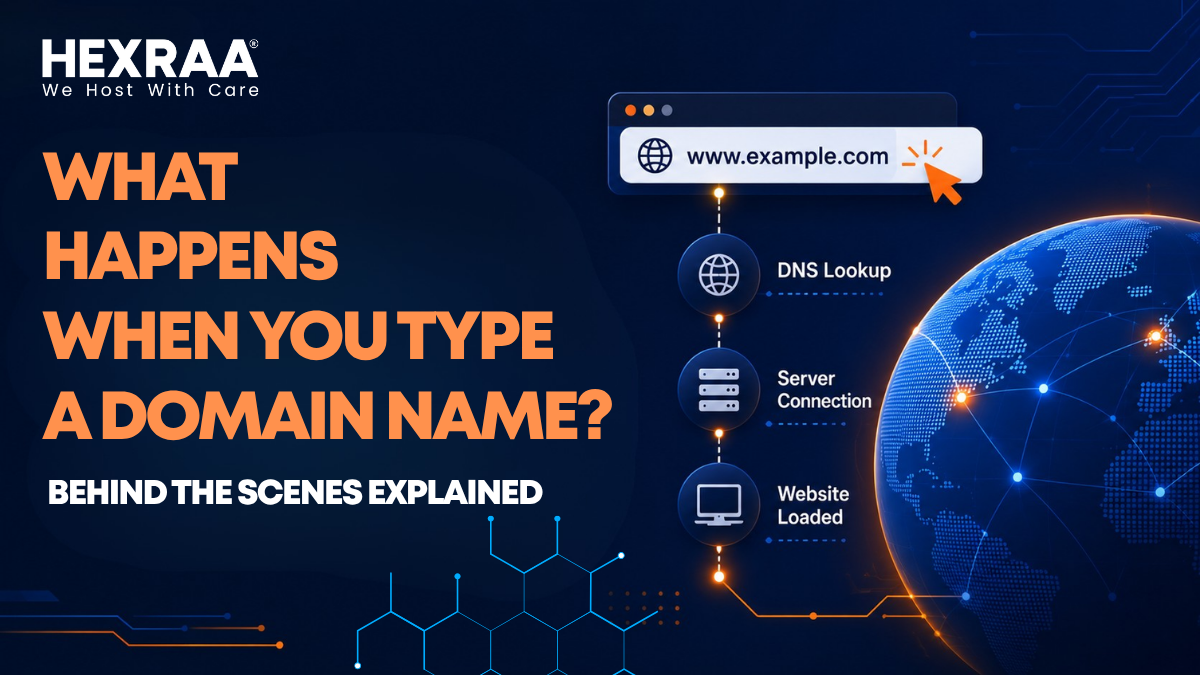
What Happens When You Type a Domain Name? Behind the Scenes Explained
Typing a domain name into your browser feels easy.
You enter a web address, press Enter, and instantly see a complete website on your screen. But this simple action involves a complex sequence of steps happening quickly in the background.
From looking up domain names to connecting to secure servers, multiple systems work together to bring a website to life.
In this article, we’ll explain exactly what happens when you type a domain name into your browser.
1. You Enter a Domain Name
Everything starts when you type a website name, like www.example.com, into your browser and hit Enter.
At this moment, your browser doesn’t know where the site is located.
Domain names are easy for people to remember, but computers use IP addresses numbers that identify servers on the internet.
So the first step is to convert that human readable name into a machine friendly IP address.
2. Your Browser Checks Its Own Cache
Before reaching out to the internet, your browser checks its own memory.
Browsers often save recently lookedup DNS records in a cache.
If the browser has already found the IP address for that domain before, it can load the site much faster.
This is why websites you visit often open quicker than new ones.
3. Your Operating System Checks Its Cache
If the browser doesn’t have the answer, your computer’s operating system checks its own memory.
The OS also stores DNS records in a cache, acting as another layer of quick recall.
If the IP address is there, the process is fast. If not, it continues outward.
4. The Request Reaches a DNS Resolver
If your device still doesn’t know where the site is, it sends the request to a DNS resolver.
This resolver is often provided by your internet service provider, but you can also use public DNS services.
Its job is to find the correct IP address for the domain you typed.
Think of it like a guide that helps you find your way through the internet’s naming system.
5. The Resolver Asks the Root DNS Servers
If the resolver doesn’t know the answer, it starts a step by step search.
The first stop is a root DNS server.
Root servers don’t hold the final IP address for every website, but they help point the resolver toward the next step. They direct it to the top level domain server, like the one for .com, .org, or .net.
This is how the internet narrows down the search.
6. The TLD Server Points to the Right Domain
Next, the resolver contacts the top level domain server.
The TLD server doesn’t provide the full IP address, but it knows which authoritative name server is responsible for that website.
In other words, it knows where the final answer is stored.
At this point, the resolver is getting much closer to the destination.
7. The Authoritative Name Server Gives the Final Answer
The authoritative name server is the source of truth for that domain.
This server holds the actual DNS record that connects the domain name to its IP address.
When the resolver reaches it, the server returns the correct IP address.
Now, your browser knows exactly where the website is located.
8. The IP Address Is Returned to Your Device
The resolver sends the IP address back to your computer, and your browser now has the exact location of the website on the internet.
This DNS process usually happens in milliseconds, which is why it feels instant to users.
9. A Connection Is Established
Once the browser has the IP address, it begins connecting to the server that hosts the website.
This often starts with a TCP handshake, a structured exchange that lets both sides prepare for communication.
If the website uses HTTPS which is common an additional TLS handshake takes place to secure the connection.
This is like verifying identity before starting a conversation digitally.
10. The Browser Sends an HTTP Request
After the connection is ready, the browser sends an HTTP request to the server.
This request asks the server to send the website’s content.
It may also include details like your browser type, cookies, and language preferences.
In simple terms, your browser is saying, “Please send me this webpage.”
11. The Web Server Processes the Request
The server receives the request and decides how to respond.
If the site is simple, it may just send static files like HTML, CSS, and images.
For more complex sites, the server might need to run code, fetch data from a database, or dynamically create content before sending it back.
Once done, the server returns an HTTP response with the page content.
12. Your Browser Starts Building the Page
Now your browser begins turning that raw data into the website you see.
It reads the HTML to understand the structure of the page, applies CSS to control appearance, and executes JavaScript for interactivity. During this process, the browser builds the DOM, or Document Object Model, which represents the page in a format it can work with.
This is when the page starts to take shape visually.
13. Extra Files Are Loaded in the Background
Most websites are not built from a single file.
Your browser usually needs to make additional requests for images, fonts, scripts, videos, and other assets. Some of these may come from the same server, while others may come from CDNs, or content delivery networks, that store files on servers closer to users around the world.
These extra requests help the page appear complete and polished.
14. The Website Fully Loads
Once the browser has received and processed everything it needs, the page becomes fully interactive.
From your perspective, it may look like a single instant action. But behind the scenes, dozens of systems have worked together to make it happen.
That’s the hidden journey behind every website visit.
Why This Process Matters
Understanding how a domain name works is useful for more than just curiosity.
It can help you make better decisions about website speed, hosting, and SEO. If you know where delays happen, you can identify whether the issue is DNS, hosting, file size, or browser rendering.
That knowledge is especially valuable if you run a business or manage a website.
Common Bottlenecks That Slow Things Down
Even though the system is efficient, several things can still cause delays:
Slow DNS resolution.
Weak or overloaded hosting.
Large image files.
Too many HTTP requests.
Blocking JavaScript files.
Each of these can add small delays that affect the overall user experience.
How the Web Becomes Faster
Modern websites load more quickly thanks to a few important technologies:
Caching reduces repeated lookups and saves time.
Content Delivery Networks place content closer to users.
HTTP/2 and HTTP/3 improve how data moves between browser and server.
Optimized DNS services reduce lookup delays.
These improvements help make the web feel smooth and responsive.
A Simple Analogy
You can think of the process like ordering food at a restaurant.
First, you place your order. That is like typing the domain name. Then the system figures out where the order should go, similar to DNS lookup. The kitchen prepares everything, like the web server processing the request. Finally, the meal is brought to your table, just like the browser receiving and displaying the webpage.
It all happens fast, but a lot goes on behind the curtain.
Conclusion
Typing a domain name may feel like the simplest thing in the world, but it launches a surprisingly complex sequence of events across browsers, DNS systems, servers, and security layers.
Every click, every page load, and every website visit depends on this hidden infrastructure working together smoothly. The better you understand it, the better you can appreciate the speed and intelligence built into the modern internet.
Frequently Asked Questions (FAQs)
1. What is a domain name?
A domain name is a human-readable address used to access a website, which maps to an IP address.
2. What is DNS?
DNS (Domain Name System) translates domain names into IP addresses so browsers can locate websites.
3. How long does it take to load a website?
Typically, the entire process happens within milliseconds to a few seconds, depending on speed and optimization.
4. What is an IP address?
An IP address is a numerical identifier assigned to a server or device on the internet.
5. Why is website speed important?
Faster websites improve user experience, reduce bounce rates, and rank better in search engines.
6. What is caching in web browsing?
Caching stores data temporarily so repeated requests can be processed faster.
7. Can DNS affect website performance?
Yes, slow DNS resolution can delay the initial connection and impact load time.
8. What is HTTPS and why is it important?
HTTPS ensures secure communication between your browser and the server through encryption.
9. What is a CDN?
A Content Delivery Network distributes website content across multiple servers worldwide to improve speed.
10. Why do some websites load slower than others?
Factors include server performance, file size, number of requests, and optimization level.